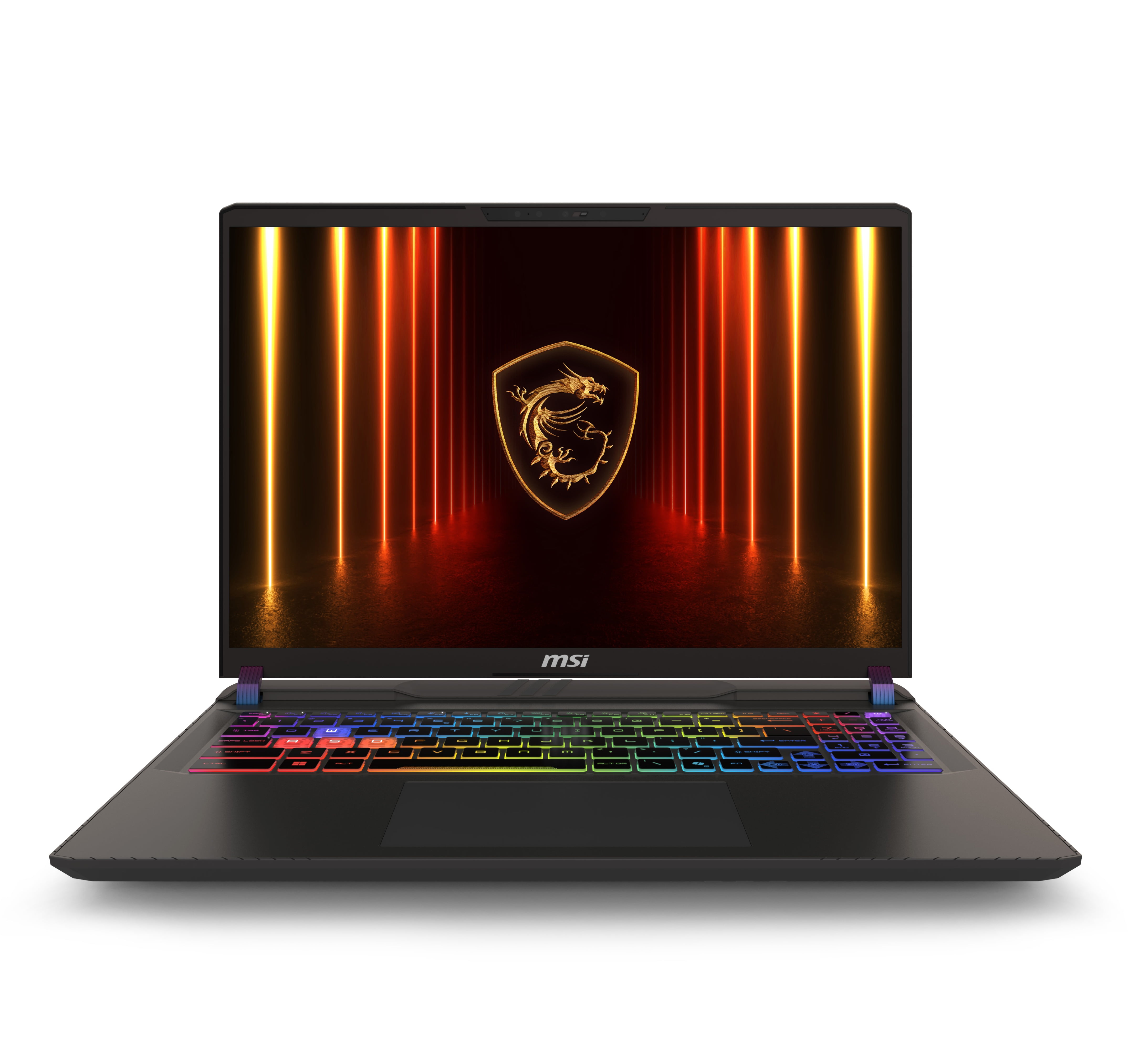
Alright, let's talk about a laptop that's been turning heads and selling out. The MSI Vector A16 HX is back in stock, and at $1,299, it's presenting a level of raw power for the price that's genuinely hard to ignore. If you've been hunting for a machine that can crush modern games and handle serious creative work without obliterating your budget, this deal deserves your full attention. It's not perfect—no laptop is—but the value proposition here is incredibly strong.
Why This Price is a Big Deal
Let's cut to the chase: $1,299 for a laptop with an RTX 5070 Ti is exceptional. This GPU, running at a full 140 watts, performs remarkably close to a desktop RTX 4070. When this hardware generation launched, finding any 5070 Ti laptop under $1,500 was a challenge. Now, you're getting it paired with a top-tier 16-core Ryzen 9 CPU and a gorgeous high-refresh screen for hundreds less. Historically, this is the price point where you'd find last-gen hardware or lower-tier current-gen GPUs. MSI and Walmart have essentially dropped a performance bomb on the mid-range market.
What You're Actually Getting: Power and Compromise
This laptop is built for one thing: delivering maximum performance while plugged in. The combination of the Ryzen 9 8940HX and the 140W RTX 5070 Ti means it will handle AAA gaming at its native QHD+ resolution with high settings, breeze through esports titles at frame rates that make use of the 240Hz screen, and tackle video editing, 3D rendering, and complex simulations without breaking a sweat. The display is a true highlight—color-accurate for creative work and incredibly smooth for gaming.
- The Pros: Unbeatable performance per dollar, fantastic upgradeability (RAM and SSD), a premium metal lid, a great keyboard, and a full port selection including USB4 with charging.
- The Cons: You trade for that power. The fans get loud under load, battery life is short (expect 3-4 hours of light use), the chassis is mostly plastic, and the touchpad is just okay. It's also a chunky boy at nearly 6 lbs, plus a hefty 330W power brick.
Who Should (and Shouldn't) Buy This
This is the ideal machine for a power user who needs a portable desktop replacement. Think: a college student studying engineering or game development, a content creator who needs a powerful mobile workstation, or a gamer who wants near-desktop performance but also needs to take their rig to a friend's place. It's a 'plug-in and perform' champion.
You should probably look elsewhere if your top priorities are all-day battery life, a sleek and ultra-portable design, or whisper-quiet operation during intense tasks. This laptop makes its priorities clear from the moment you fire up a game.
Practical Advice Before You Click Buy
First, check the seller. Walmart lists this as sold by 'Dealciti,' which has good ratings. Always verify the seller details at checkout. Second, consider the upgrade path. The included 16GB of RAM is fine to start, but for heavy multitasking or modern games, planning a future upgrade to 32GB is smart. Thankfully, it's user-upgradeable, though opening the bottom panel requires some care with a pry tool. The second M.2 slot is a gift, letting you add more cheap storage later.
Is this likely to get cheaper? It's possible, but unlikely to see a dramatic drop soon. At this price, it has a history of selling out. If you need this level of power now, waiting carries a real risk of missing out.
Bottom Line
- This is the most affordable RTX 5070 Ti laptop on the market, full stop.
- Performance rivals a desktop RTX 4070, making it a phenomenal value for gamers and creators.
- Be prepared for trade-offs: loud fans under load, short battery life, and a hefty build.
- The 16GB RAM is the config's main bottleneck for heavy users, but it's easily upgradeable.
Common Questions
Can it really game at QHD+ resolution?
Absolutely. The RTX 5070 Ti at 140W is built for it. You'll be able to run the latest AAA titles at high to ultra settings comfortably, and competitive games will easily push frames to match the 240Hz display.
How difficult is it to upgrade the RAM and SSD?
The process is straightforward technically—the slots are right there once you're inside. The tricky part is getting the bottom panel off, as it's held by 13 screws and tight clips. Go slow, use a plastic tool, and watch a teardown video first. Once open, swapping components is simple.
Is the noise really that bad?
When the system is under a full gaming or rendering load, yes, the fans spin up aggressively to keep the powerful components cool. It's the sound of performance. For lighter tasks or with a balanced performance profile, it's much more manageable.
Comments (0)
No comments yet. Be the first to share your thoughts!
Leave a Comment